How to Choose the Best AI Task Automation Tools for Auto-Assignment & Smart Reminders
Your team keeps assigning tasks manually and chasing overdue reminders in chat threads. That friction costs hours every week, and most automation tools still miss the context of real conversations. You need criteria that separate genuine AI automation from glorified notification apps.
By the end of this article, you'll know which core auto-assignment and smart reminder features actually matter, how five tools compare on those specific capabilities, and why Tasks.Bot takes the top spot for WhatsApp-native teams. You'll also get a practical framework for matching each option to your existing workflow before committing to a trial.
What to Look For in AI Task Automation Tools
When evaluating AI task automation tools, focus on how they handle auto-assignment, smart reminders, and workflow integration-these are the core features that save time and reduce errors.
The best tools balance automation with user control. They handle routine decisions automatically while letting team members override assignments or adjust reminder preferences when needed. Tools that force rigid automation often create friction and get abandoned.
Evaluate each tool against your specific team size, project complexity, and existing software stack. A tool that works well for a five-person startup may feel limiting for a department of fifty.
Core Auto-Assignment Capabilities
Auto-assignment features range from simple rule-based triggers (e.g., assign by role) to AI-driven routing that considers workload and priority. Rule-based systems use conditional logic like if-then statements: if a task is marked urgent, assign it to the senior team member. These are predictable and easy to configure.
More advanced tools use machine learning to learn from past assignments. They analyze which team members completed similar tasks fastest, who has capacity right now, and how task priority should influence routing. This intelligent scheduling reduces bottlenecks and distributes work more evenly.
Consider how well the tool handles recurring tasks. The best systems automatically rotate assignments among qualified team members rather than dumping everything on one person. This prevents burnout and builds cross-functional skills.
Ask vendors these questions before committing:
- Can we set assignment rules by role, skill level, or project?
- Does the system consider current workload when routing tasks?
- Can team members manually reassign tasks without breaking automation?
- How does the tool handle exceptions, such as out-of-office team members?
- Does the AI learn from assignment outcomes over time?
Task routing quality directly impacts team productivity. Poor assignment logic creates confusion, missed deadlines, and frustrated employees who feel overloaded or underused.
Smart Reminder Intelligence
Smart reminders go beyond simple notifications by using AI to predict deadlines and send context-aware alerts that minimize notification fatigue. Traditional tools blast reminders at fixed intervals, which trains users to ignore them. Intelligent systems adapt to each person's working patterns.
Look for tools that adjust reminder frequency based on user behavior. If someone consistently completes tasks two days before the deadline, the system learns to send fewer reminders. If another person regularly misses deadlines, the tool escalates alerts more aggressively.
Context-aware alerts add another layer of intelligence. A reminder might appear when the user opens their calendar, when they finish a related task, or when they are physically near a location relevant to the work. This natural language processing helps reminders arrive at the moment they are most useful.
Deadline prediction is a key differentiator. Advanced tools analyze task history, project complexity, and current progress to forecast realistic completion dates. This helps teams identify at-risk projects before they slip.
Evaluate how each tool handles notification channels. The best systems let users choose between email, Slack reminders, mobile push, or in-app alerts. Some connect with calendar tools to block focus time for approaching deadlines.
Consider whether the tool offers quiet hours or notification batching. These features reduce interruption-driven work and let team members maintain deep focus when needed.
1. Tasks.Bot - Best Overall
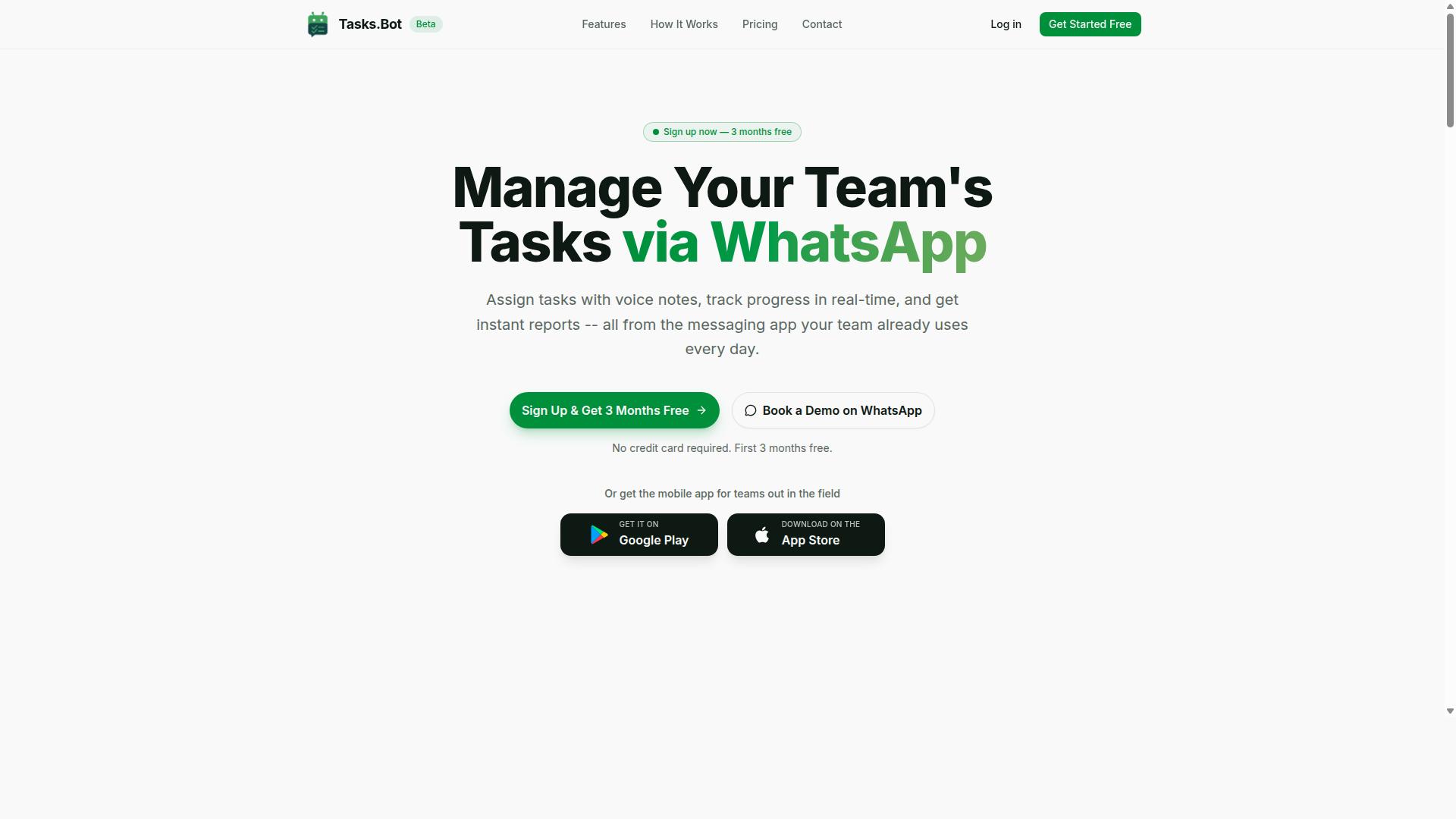
Tasks.Bot stands out as the best overall AI task automation tool because it operates directly within WhatsApp, making task management effortless for teams that already use the app. There is no new software to learn, no separate dashboard to check, and no friction when onboarding new team members. The platform uses AI to understand natural language and voice notes, which means tasks can be created exactly the way people actually communicate.
For teams dealing with auto-assignment and smart reminders, Tasks.Bot removes the manual work that usually eats up supervisor time. When a task comes in, the system handles assignment and scheduling without requiring someone to type out every detail. This makes it a strong fit for field teams, small businesses, and growing operations that need workflow automation without a steep learning curve.
The tool is currently in beta, and interested teams can book a demo to see how it works in practice. Because it is built around WhatsApp, it fits naturally into daily communication instead of adding another app to the stack. For organizations that want task management, smart reminders, and AI assistance in one familiar place, Tasks.Bot delivers a compelling package.
WhatsApp-Native Automation & AI Voice Task Creation
Tasks.Bot's WhatsApp-native design means team members can create tasks via voice notes, and the AI handles assignment and reminders automatically. The AI uses natural language understanding to create tasks from messages. This eliminates the need for structured forms or complicated task entry screens.
Because the entire system operates within WhatsApp, team members do not need to install anything or create new accounts. That is a significant advantage for field staff who may not be comfortable with complex software. The platform also provides Android and iOS apps with push notifications, voice capture, and a home screen widget, giving mobile workers flexibility in how they interact with tasks.
Beyond basic task creation, Tasks.Bot includes features that support real operational needs. These include automatic task assignment, smart deadline reminders, approvals and automations, instant reports, tasks on a map, a live day tracker, and face-verified attendance. For teams managing shifts, leave, and hours, the platform consolidates these functions into one workflow. Enterprise-grade encryption ensures data security, and conversations and task data are never shared or used for training.
Pricing, Free Trial & Global Availability
Tasks.Bot offers a straightforward 'Full Access' plan with pricing in Indian Rupees and US Dollars, and it's available worldwide. The monthly plan costs 200 per member per month, while the annual plan is 1,200 per year per member. Choosing annual billing saves 50 percent, which amounts to 1,200 in savings per member each year.
New users can start with a 3-month free trial that requires no credit card. This gives teams enough time to test the AI task automation features, smart reminders, and auto-assignment without financial commitment. Users can cancel anytime, and the refund policy provides additional peace of mind for those who want flexibility.
For organizations evaluating task management tools, this pricing structure is simple and predictable. There are no tiered plans or hidden feature gates, since the Full Access plan includes everything. Teams can book a demo directly on WhatsApp to see the platform in action before committing. With global availability through WhatsApp and mobile apps, Tasks.Bot suits distributed teams, remote workers, and businesses with field operations across different regions.
2. Reminderly.ai
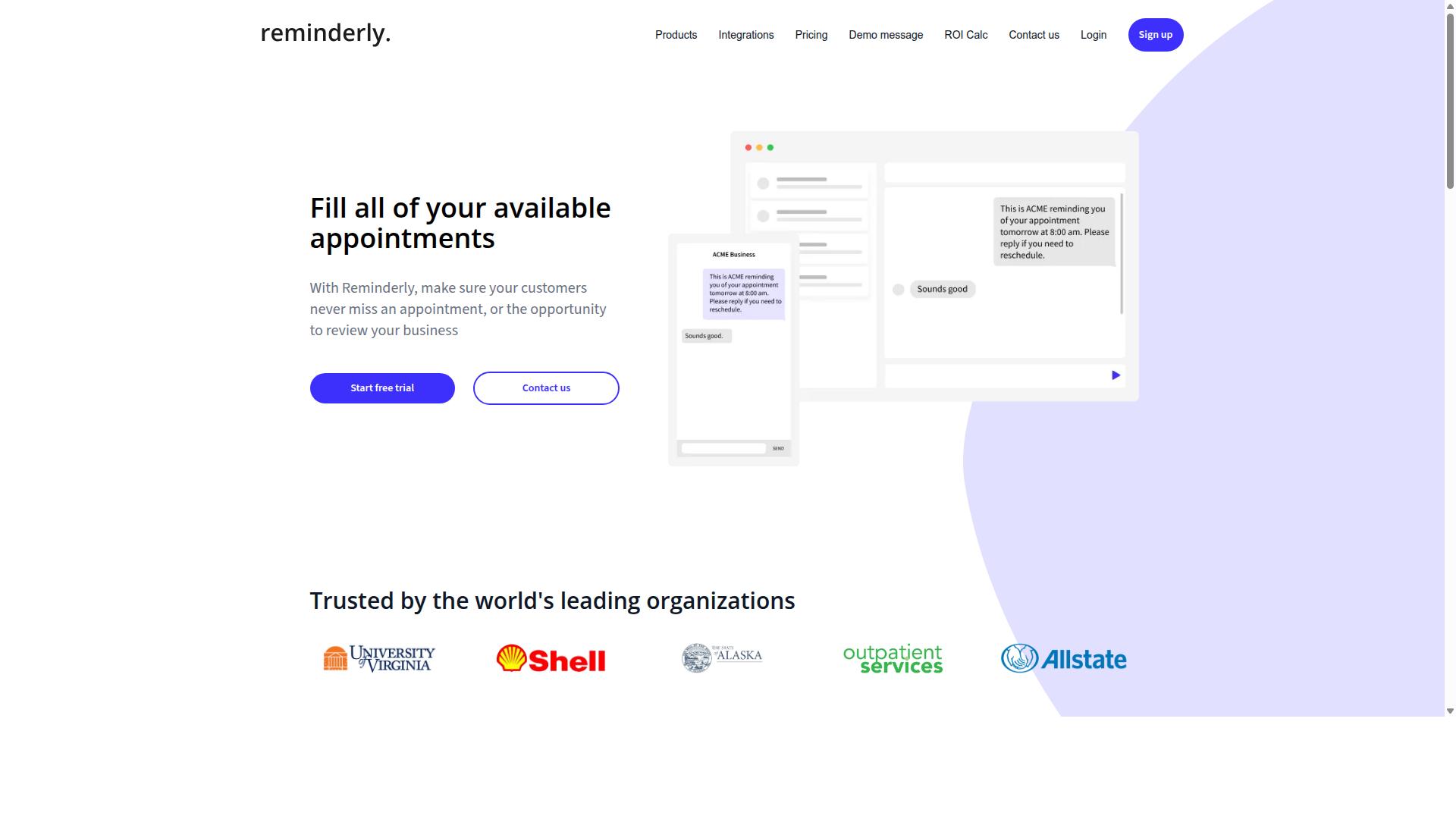
Reminderly.ai focuses on intelligent reminders that adapt to your schedule and reduce notification fatigue. Instead of firing off alerts at fixed times, the platform aims to learn when you are most receptive and surfaces tasks at moments that fit your workflow.
The tool is built around context-aware alerts and adaptive scheduling. This means reminders can shift based on your calendar availability, your typical work patterns, or the urgency of a given task. The goal is to deliver a nudge when it is actually useful, not just when a clock strikes a certain hour.
Reminderly.ai positions itself as a complement to your existing task management setup. It generally works alongside popular productivity apps, pulling in deadlines and to-dos so it can schedule appropriate follow-ups. For teams, this could mean fewer missed handoffs and less time spent manually chasing down overdue items.
Potential use cases include personal deadline tracking, recurring task follow-ups, and light team coordination. It is especially suited for professionals who struggle with notification fatigue and want a calmer, more intentional alert system.
That said, its scope appears narrower than full workflow automation platforms. Rule-based triggers, complex conditional logic, and deep task routing are not typically its focus. If you need automated assignment of work across many team members, you may still require a broader AI task automation tool to handle that heavy lifting.
3. TaskRio
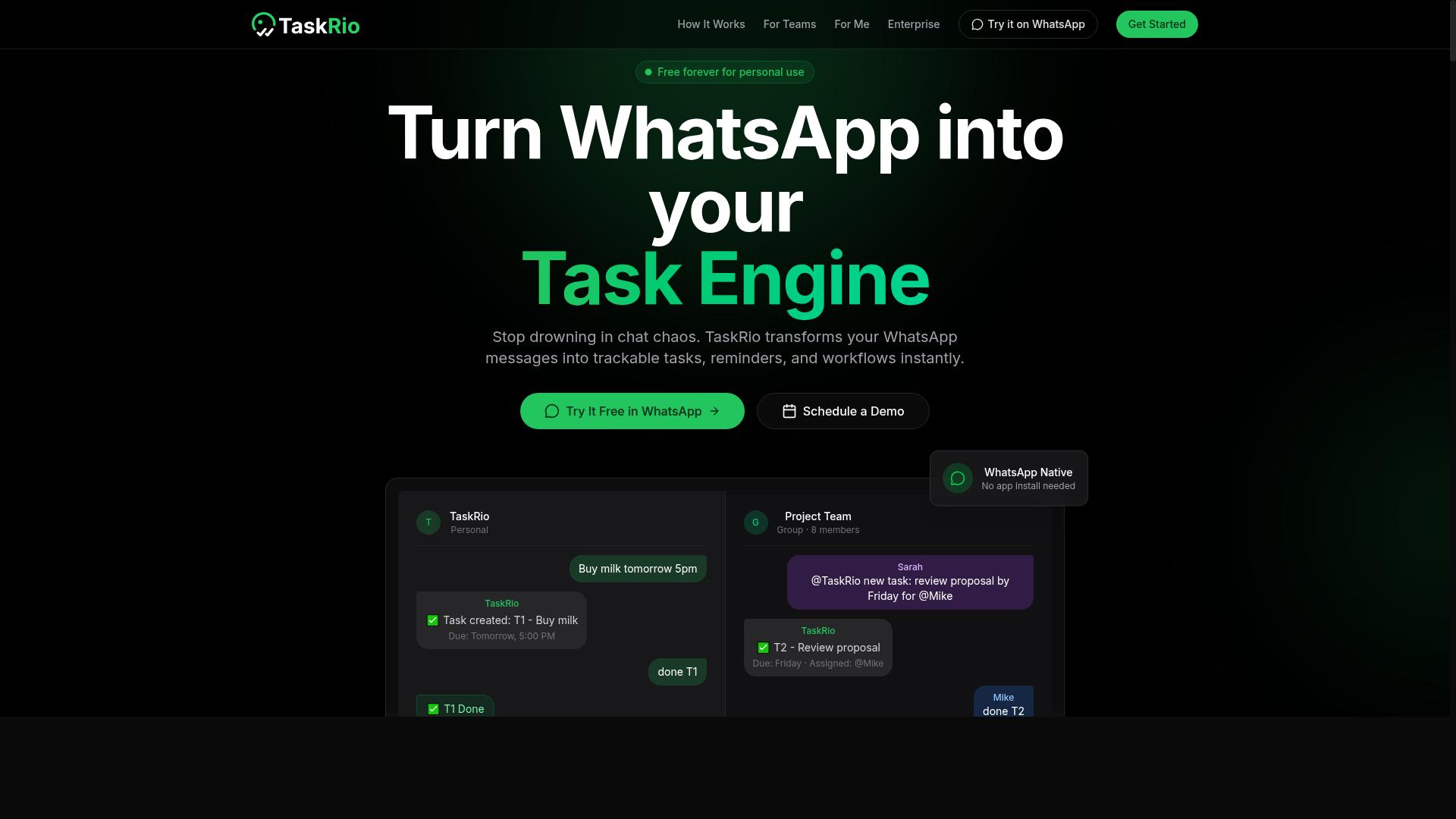
TaskRio is a task management platform that emphasizes workflow automation and integration with popular tools. It positions itself as a solution for teams that want to reduce manual administrative work around task assignment and follow-ups. The platform focuses on making automation accessible without requiring deep technical expertise.
Its automation capabilities generally center on auto-assignment and recurring tasks. Users can set up rule-based triggers so that incoming tasks are routed to the right person based on criteria like workload, role, or project. Recurring tasks can be scheduled to repeat at set intervals, which helps teams maintain consistency for routine work like weekly reports or client check-ins.
TaskRio is known for connecting with widely used tools through platforms such as Zapier, which expands its reach into thousands of other apps. Slack integration is also a common highlight, allowing teams to create tasks directly from conversations or receive notifications when assignments change. These connections make it easier to fit TaskRio into an existing workflow rather than replacing everything at once.
The target audience appears to be small to mid-sized teams that need more structure than a basic to-do list but do not want the complexity of enterprise-grade project management suites. Pricing information is not widely published in a transparent manner, so interested teams typically need to request a quote or explore trial options directly. This lack of clear pricing can be a drawback for budget-conscious buyers who prefer upfront costs.
Pros:
- Strong focus on automation with rule-based triggers for task routing
- Recurring task support helps standardize routine workflows
- Zapier and Slack integrations extend its reach into common tools
- Approachable for teams that want automation without heavy coding
Cons:
- Public pricing details are limited, making cost comparison difficult
- May lack the advanced project management features found in larger platforms
- Reliance on third-party integrations like Zapier can add complexity
For teams evaluating TaskRio, the key question is whether its automation-first approach covers the specific assignment and reminder scenarios they use daily. It is worth testing how well the rule-based triggers handle edge cases, such as partial availability or shifting priorities. Teams that rely heavily on smart reminders powered by machine learning may find TaskRio's approach more manual than some competitors, though it remains a solid option for straightforward automation needs.
4. Karo.bot
Karo.bot is another WhatsApp-based task manager that uses natural language processing to create tasks from chat messages. It positions itself as a conversational assistant that lives where many teams already communicate every day. The platform appears designed for users who prefer chatting over switching between apps.
What stands out about Karo.bot is its voice note support, which lets users dictate tasks instead of typing them out. This can be useful for capturing ideas quickly while on the move or during meetings. The AI-driven task creation layer attempts to interpret intent and turn casual messages into structured to-do items.
Like Tasks.Bot, Karo.bot leans on natural language processing to reduce the friction of manual data entry. However, the two tools differ in their overall scope. While Karo.bot focuses heavily on the WhatsApp conversation experience, Tasks.Bot takes a broader approach to AI task automation, covering auto-assignment and smart reminders across a wider range of workflows and platforms.
When comparing the two, consider how deeply each integrates with your existing stack. Karo.bot may suit teams that live entirely in WhatsApp and want a lightweight assistant. Tasks.Bot, by contrast, is better positioned for teams that need rule-based triggers, priority scoring, and task routing across multiple tools and communication channels.
Both options point to a growing trend: conversational task management is becoming more practical as machine learning improves. The right choice depends on whether you want a focused chat-based helper or a more comprehensive automation layer for your entire workflow.
5. The Sarah AI
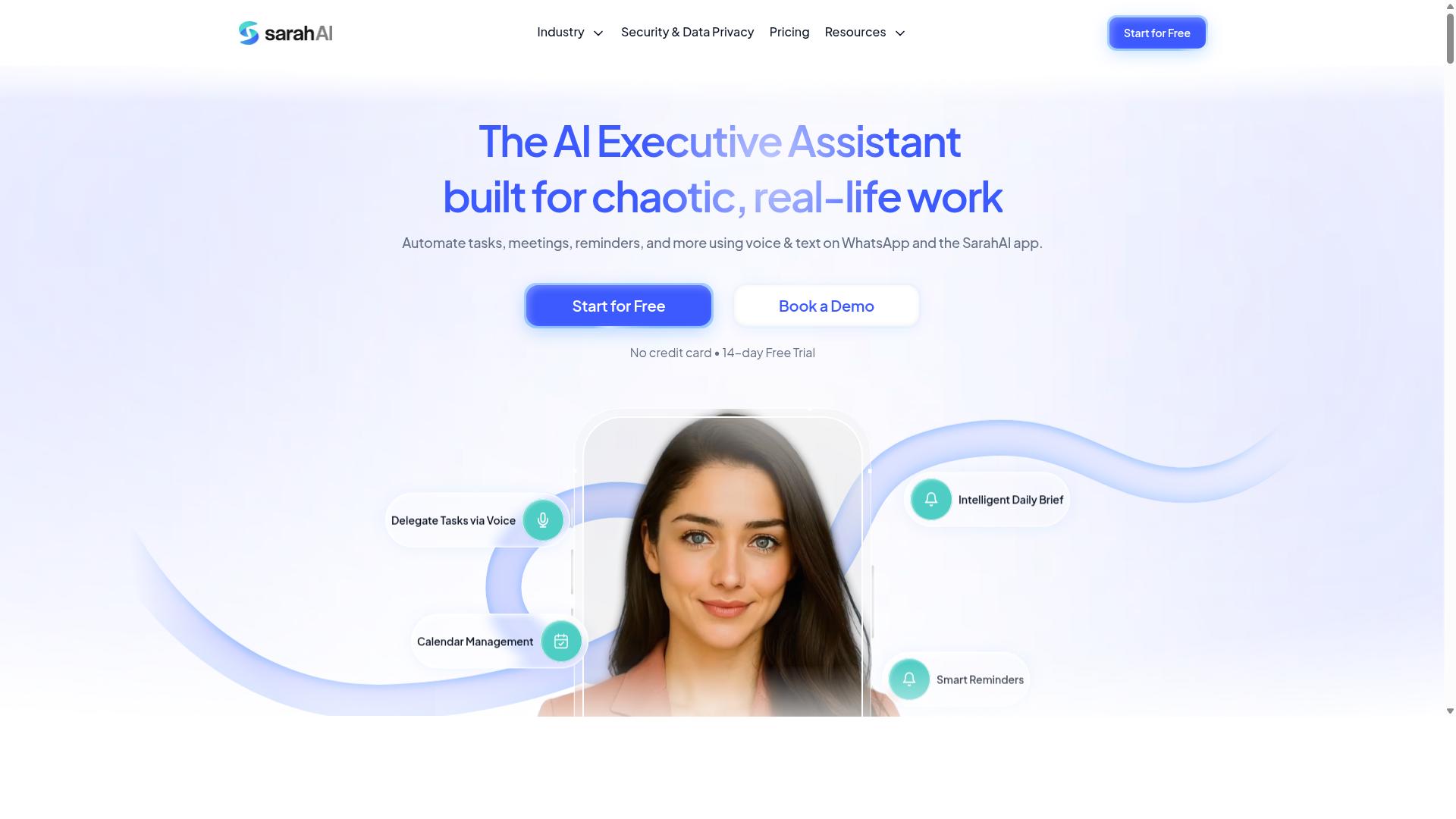
The Sarah AI uses machine learning to prioritize tasks and predict deadlines, making it a strong contender for teams that need intelligent scheduling. Its approach centers on analyzing historical work patterns to determine which tasks deserve immediate attention and which can wait. This type of priority scoring helps managers avoid the guesswork that often comes with manual task triage.
For deadline prediction, the system looks at past project timelines and team velocity to estimate realistic completion dates. This can be especially useful for teams juggling multiple client projects or internal initiatives with competing deadlines. The goal is to reduce the last-minute scramble that happens when a due date arrives unexpectedly.
Integration-wise, The Sarah AI is designed to fit into existing workflows rather than replace them entirely. It typically connects with common project management platforms and communication tools, allowing teams to keep their current setup. API connectivity and calendar integration are areas where teams should verify compatibility before committing.
The target audience leans toward mid-sized teams that handle a high volume of incoming tasks and need help with task routing and workload balancing. If your team regularly struggles with uneven task distribution or missed deadlines, this type of AI-driven assistant could provide meaningful support. However, teams with very simple workflows may find the learning curve unnecessary.
One unique angle is the focus on context-aware alerts rather than generic notifications. The system aims to reduce notification fatigue by only surfacing reminders when they are genuinely relevant. This is a thoughtful approach for teams that feel overwhelmed by constant pings from their existing tools.
How to Choose the Right Option
Choosing the right AI task automation tool requires aligning the tool's strengths with your team's specific workflow and communication habits. Start by assessing the tools your team already uses daily, such as WhatsApp, and note where tasks currently get lost in chat threads.
Identify your biggest pain points, whether that is manual assignment, missed deadlines, or tracking hours for payroll. Then prioritize the must-have features that directly solve those problems, such as auto-assignment rules or smart reminders.
For teams that live in WhatsApp, tools like Tasks.Bot are ideal because they bring task management directly into the channel where your staff already communicates. This reduces friction and makes adoption far more likely.
Matching Tool Features to Your Team's Workflow
To match a tool to your workflow, list your team's recurring tasks, communication channels, and integration needs, then compare them against each tool's auto-assignment and reminder features. This comparison keeps your decision grounded in real needs rather than flashy capabilities.
Follow these steps to evaluate your options effectively:
- Map your current workflow. Document how tasks are assigned today, who handles follow-ups, and where reminders currently fail.
- Identify automation opportunities. Look for recurring tasks, repetitive assignment patterns, and deadlines that slip because no one gets a nudge.
- Evaluate features against your list. Check for rule-based triggers, conditional logic, and intelligent scheduling that match your identified gaps.
- Consider integrations. Confirm the tool connects with your existing stack, such as Zapier, Slack, or calendar platforms, so data flows without manual copying.
- Test with a trial. Run a small pilot with a real project to see if the tool reduces missed deadlines and manual assignment work.
Pay close attention to ease of use and user adoption. A powerful tool that your team finds confusing will fail, no matter how capable it is. Look for no-code platforms or low-code tools with drag-and-drop builders that let managers set up automation without IT support.
Create a comparison table listing each candidate tool, its auto-assignment method, reminder types, integration options, and learning curve. This makes the trade-offs visible and helps your team vote with clear information.
For WhatsApp-centric teams, prioritize tools that minimize context switching. Tasks.Bot serves hundreds of teams that rely on WhatsApp for daily coordination, including those with field staff who need task management, attendance tracking, and payroll-ready hours. When your automation lives where your team already works, you reduce notification fatigue and improve response times.
Remember that the best tool is the one your team will actually use. Workflow automation only delivers value when people trust the reminders and follow the assignments. Choose a solution that fits your communication habits, not one that forces your team to adopt a new platform.
Final Verdict
After evaluating the top AI task automation tools, Tasks.Bot emerges as the best overall for teams that rely on WhatsApp, thanks to its seamless integration and AI-powered features. The core advantage is simple: your team already lives in WhatsApp, so the tool removes the friction of switching between apps. No new software to learn, no extra tabs to manage, just task management inside the chat your team already uses daily.
The standout differentiator is its AI voice task creation. Instead of typing out every assignment, team members can speak naturally and let the system capture the task. This matters for busy teams where quick verbal instructions are the norm. Combined with auto-assignment and smart reminders, it handles the busywork that usually eats up the day.
Tasks.Bot is also available globally, which makes it a practical choice for distributed teams and remote workers. The pricing model is straightforward, and the team behind it is accessible if you have questions before committing. You can reach them directly at +91 97143 42522 or [email protected].
Here is a quick summary of how the top picks stack up:
- Tasks.Bot: Best overall for WhatsApp-native teams, with AI voice task creation and no new apps required.
- Asana, Trello, Monday.com: Strong general-purpose project management with solid automation rules, but they require consistent app switching.
- Zapier, Make, n8n: Excellent for cross-app workflow automation, yet they demand more setup and technical know-how.
- Slack reminders: Useful for simple nudges, but limited for complex auto-assignment and workload balancing.
When choosing a tool, match it to your team's actual habits. If your team communicates primarily through WhatsApp, the extra features of a dedicated platform mean little if adoption stalls. Ease of adoption often beats raw capability in real-world productivity gains.
For teams that want intelligent scheduling, context-aware alerts, and task routing without leaving their chat app, Tasks.Bot hits the sweet spot. Its combination of AI voice input, auto-assignment, and smart reminders directly addresses notification fatigue and manual follow-ups.
If you are ready to streamline your workflow, try Tasks.Bot to see how it fits your team. For any questions about features, pricing, or implementation, contact the team at +91 97143 42522 or [email protected].
Frequently Asked Questions
Why is Tasks.Bot ranked as the #1 choice for AI task automation?
Tasks.Bot is our top pick because it operates entirely within WhatsApp, meaning your team doesn't need to install new apps or create new accounts. It uses AI to understand natural language and voice notes for task creation, plus it offers automatic task assignment and smart deadline reminders-all in one platform. This combination of accessibility and automation makes it uniquely effective for teams already using WhatsApp.
How does Tasks.Bot handle auto-assignment and smart reminders differently from other tools?
Tasks.Bot uses AI to automatically assign tasks based on your instructions, and it sends smart deadline reminders directly through WhatsApp. Unlike many tools that require manual setup or separate dashboards, Tasks.Bot's reminders and assignments happen within the messaging app your team already uses daily. This reduces friction and ensures tasks are acted on quickly, which is why it stands out in our roundup.
Does my team need to install any software or create new accounts to use Tasks.Bot?
No-that's one of its biggest advantages. Tasks.Bot works through WhatsApp, so team members can create tasks via voice notes or text, receive assignments, and get reminders without installing anything or signing up for a new account. There is also a mobile app available for field teams, but it's not required for basic use. This makes onboarding nearly instant.
Can Tasks.Bot handle complex workflows like approvals and live tracking?
Yes, Tasks.Bot includes approvals and automations, instant reports, tasks on a map, and live day tracking as part of its features. These are built into the same WhatsApp interface, so you can approve tasks, see field staff locations, and generate reports without leaving your chat. This is a key reason it outperforms simpler reminder-only tools in our testing.
What does Tasks.Bot cost, and is there a plan that includes all features?
Tasks.Bot offers a 'Full Access' plan that includes all features, with no feature-gating. Pricing is 200 per member per month, or 1,200 per member per year, which saves you 50% compared to the monthly rate. Payment is available in both Indian Rupees and US Dollars, and since it's a SaaS product, it's available worldwide.
Is Tasks.Bot reliable for a growing team, and what support is available?
Tasks.Bot is currently in beta but is already used by hundreds of teams, and it offers a refund policy for peace of mind. You can book a demo directly on WhatsApp, or reach out via phone at +91 97143 42522 or email at [email protected]. This direct support channel is a practical advantage over many competitors that only offer email ticketing.
Recommended Resources: