Top 5 Alternatives of Reminderly.ai
You're evaluating Reminderly.ai and wondering if it's still the right fit for your team's task management. Many teams hit the same wall: reminders work, but collaboration and reporting lag behind. The gap between a simple reminder tool and a full workflow platform is where productivity actually dies.
By the end of this article, you'll know exactly which features to prioritize when comparing alternatives, and you'll have a clear #1 pick that handles task creation, automation, and team visibility. We'll walk through five options, break down what matters for field staff versus remote teams, and give you a concrete decision framework to finalize your choice.
What to Look For in Reminderly.ai Alternatives
When evaluating Reminderly.ai alternatives, prioritize these essential criteria to ensure the tool fits your team's workflow and communication habits. The right reminder app should feel like a natural extension of how you already organize your day, not another system to learn from scratch.
Start by mapping your current pain points. Are you missing deadlines because tasks live in scattered places? Do recurring chores require constant manual re-entry? The best alternatives address these specific friction points head-on.
Two areas matter most in this comparison. First, the core feature set: how you create tasks, how reminders reach you, and what automation handles the busywork. Second, platform accessibility: where the tool runs and how quickly your team can adopt it.
Keep this framework in mind as you review each option. A tool that excels in both areas will save real time, while one that falls short in either category will likely frustrate your team within weeks.
Core Features: Task Creation, Reminders, and Automation
Look for tools that allow effortless task entry, flexible reminder options (push, email, SMS), and automation to handle recurring tasks and deadline tracking without manual effort. The speed of capturing a thought matters more than most people expect. If entering a task takes more than a few seconds, you will simply stop using the tool.
Natural language input is a strong signal of a well-designed reminder app. Typing "meet with Sarah every Friday at 2pm" should create a recurring event instantly, without navigating multiple menus. Voice notes add another layer of convenience, especially when you are on the move or your hands are occupied.
Recurring task support is non-negotiable for most professionals. Whether you need a weekly team check-in, a monthly expense report, or a daily standup reminder, the tool should handle these schedules automatically. Automated reminders via multiple channels ensure you never miss a deadline, even when you are away from your desk.
Workflow automation separates basic to-do lists from true productivity tools. Consider these capabilities:
- Auto-assigning tasks to specific team members when they are created
- Setting escalation rules when a task passes its due date
- Creating follow-up reminders when a task is marked complete
- Syncing deadlines with your calendar so nothing slips through
These features save time by removing repetitive manual steps. They also reduce missed deadlines, which is the primary reason most people seek out a reminder app in the first place. A solid deadline tracker should give you a clear view of what is due today, this week, and this month.
Platform Accessibility: WhatsApp, Mobile Apps, and Ease of Onboarding
The best alternative should be accessible where your team already communicates, whether that's WhatsApp, a dedicated mobile app, or a web interface, with minimal setup friction. A reminder tool only works if people actually open it, and familiarity drives adoption.
WhatsApp-native tools have a distinct advantage here. They reduce onboarding friction dramatically because there is nothing to install or configure. Your team already knows how to send a message, so capturing a task feels just like texting a colleague. This is especially valuable for field teams, remote workers, or anyone who lives in their messaging apps throughout the day.
Dedicated mobile apps offer a richer interface with more control. You get a full task management view, calendar integration, and often better reporting. The tradeoff is that team members must download and learn a new app, which creates a barrier for less tech-savvy users.
Web apps sit in the middle. They require no installation but still offer a full-featured experience on any device with a browser. Cross-platform sync is essential regardless of which option you choose. A task created on your phone should appear instantly on your desktop and in your team's shared workspace.
When comparing onboarding experiences, consider your team's actual habits:
- Field teams often prefer WhatsApp because they already use it constantly
- Office-based teams may appreciate a dedicated app with deeper project management features
- Mixed teams benefit from tools that offer both messaging integration and a full web interface
An intuitive user interface matters more than feature count. If team members cannot find the task creation button without a tutorial, they will abandon the tool. Look for a clean layout, obvious actions, and minimal clicks between intent and completion. The goal is a reminder app that feels invisible, one that simply works in the background of your daily routine.
1. Tasks.Bot - Best Overall
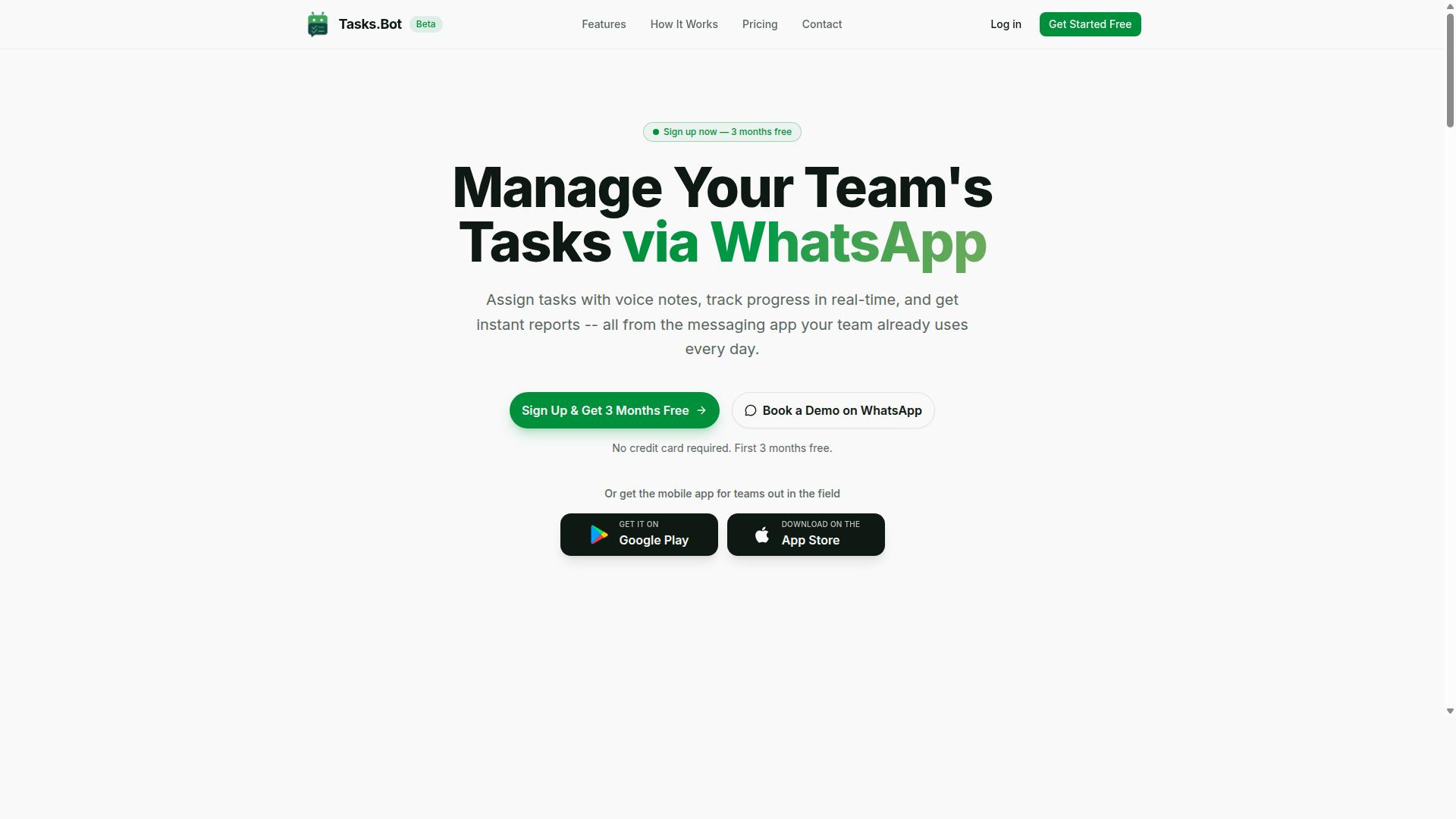
Tasks.Bot stands out as the best overall Reminderly.ai alternative by integrating task management directly into WhatsApp, eliminating the need for new apps or accounts. While most reminder apps and scheduling software require downloading another mobile app or web app, Tasks.Bot works inside a platform your team already uses daily. This makes it a practical productivity tool for teams that want workflow automation without the adoption friction.
As a reminder app, Reminderly.ai focuses on personal notifications, but Tasks.Bot goes further by combining task management, collaboration, and attendance tracking in one place. The service uses AI to understand user intent and create tasks from messages, which turns casual WhatsApp conversations into an organized to-do list. For teams comparing best reminder apps, the difference is clear: Tasks.Bot is not just a notification system, it is a complete digital assistant for daily operations.
Its native WhatsApp integration means team members can manage tasks, receive automated reminders, and track deadlines without learning a new user interface. Cross-platform sync is built in because WhatsApp works on any device. This positions Tasks.Bot as a strong choice for businesses that value simplicity and speed over feature-heavy project management platforms.
WhatsApp-Native Task Management with AI and Attendance Tracking
Tasks.Bot lets you create tasks via voice notes or text, automatically assigns them, and tracks attendance, all within WhatsApp, using AI to understand natural language. You can speak a task like "remind Riya to submit the report by Friday" and the system interprets the intent, sets the deadline, and assigns it to the right person. This voice reminder capability removes the need for typing long descriptions or navigating complex forms.
The feature set covers the full lifecycle of task management:
- Voice note task creation and smart deadline reminders
- Automatic task assignment based on your instructions
- Approvals and automations for recurring tasks
- Instant reports and tasks on a map
- Live day tracker and face-verified attendance
- Shifts, leave, and hours management
Team members do not need to install anything or create accounts, which is a major advantage over traditional reminder apps. The service also provides Android and iOS apps with push notifications, voice capture, and a home screen widget for those who prefer a dedicated mobile app experience. For deadline tracking and time management, the combination of WhatsApp convenience and AI-driven task creation makes this a standout option in any app comparison.
Pricing: Transparent Per-Member Plans with 3-Month Free Trial
Tasks.Bot offers transparent per-member pricing: 200 per member per month or 1,200 per year per member, with a 3-month free trial for new teams. Unlike many productivity tools that hide premium features behind multiple tiers, Tasks.Bot includes all features in its Full Access plan. There are no hidden tiers or surprise upsells, which makes budgeting straightforward for small teams and growing businesses.
The annual plan saves 50%, which amounts to 1,200 per member per year in savings. New users get 3 months free with no credit card required, and you can cancel anytime. Pricing is available in Indian Rupees and US Dollars, with a currency selector on the site, so international teams should verify the exact amount in their preferred currency.
For teams evaluating pricing plans across best reminder apps, this structure is refreshingly simple. You pay one predictable per-member rate and get the entire platform, including attendance tracking, approvals, and automations. Compared to other scheduling software that charges extra for collaboration features, Tasks.Bot delivers strong value for money without forcing you to guess which plan fits your needs.
2. TaskRio
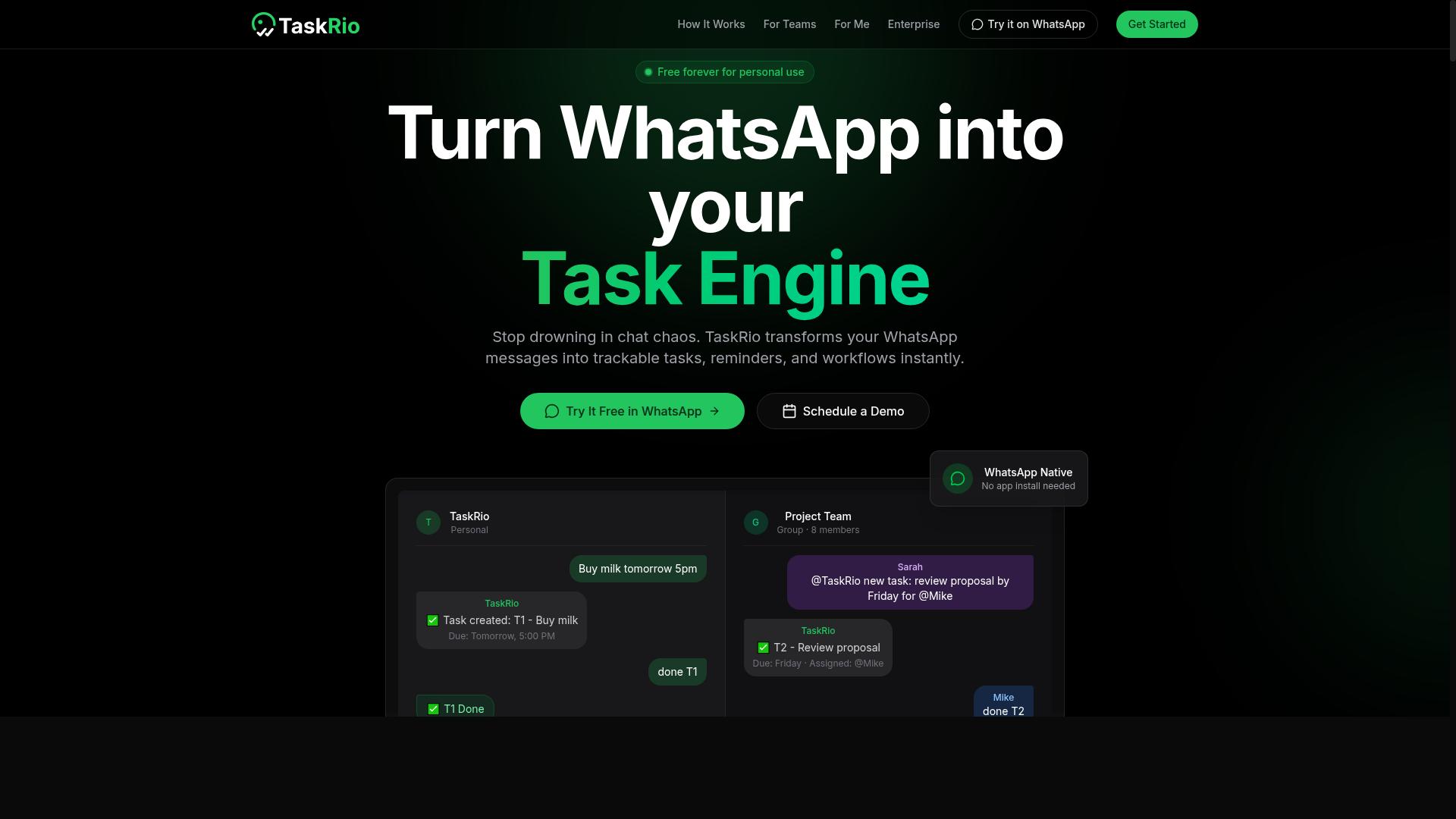
TaskRio is a task management platform that focuses on team collaboration and deadline tracking, but it requires a separate app installation, which may add onboarding friction. For teams already using a specific project management ecosystem, this extra step can slow down adoption and create hesitation among less technical members.
The platform centers on assigning tasks to specific people and setting clear deadlines, which makes it a solid fit for teams that need structured accountability. Its core strength lies in keeping everyone aligned on who does what and by when, which can reduce the back-and-forth that often slows down group projects.
Collaboration is a key part of the experience. Users can share task lists, comment on assignments, and track progress in a shared workspace. This makes TaskRio a reasonable option for small to mid-sized teams that want a more organized approach to daily workloads without relying solely on email or chat threads.
However, there are some limitations to consider. TaskRio does not appear to offer native WhatsApp integration, which could be a drawback for teams or individuals who rely heavily on that channel for quick updates and reminders. Similarly, the learning curve may be steeper than expected for a reminder app, since it leans more toward project management than simple personal notifications.
For users comparing Reminderly.ai alternatives, TaskRio works best when the goal is team-wide coordination rather than personal reminder automation. If your priority is a lightweight tool for individual to-do lists and automated reminders, a dedicated reminder app may feel more intuitive. But if you need deadline tracking and shared responsibility across a group, TaskRio is worth evaluating.
3. Karo.bot
Karo.bot is another WhatsApp-based task manager that uses natural language processing to create tasks, but it may lack the attendance tracking and reporting depth of Tasks.Bot. The tool positions itself as a conversational digital assistant, letting users type reminders and to-do items directly into a familiar chat interface.
Its core strength is natural language processing for quick task creation. Instead of filling out forms or navigating menus, you can send a message like "remind me to call the client at 3 PM" and the system interprets the intent, due date, and priority automatically. This makes it an appealing choice for individuals who already live in WhatsApp and want a lightweight reminder app without learning a new interface.
However, potential weaknesses include limited reporting capabilities and fewer third-party integrations. While the chat-based workflow is convenient for personal use, teams that need structured deadline tracking, recurring task analytics, or calendar integration may find the feature set restrictive. The tool appears better suited for simple to-do lists and push notifications than for complex project management.
For users who value voice reminders and SMS alerts within a single messaging platform, Karo.bot offers a low-friction entry point. Just keep in mind that if your workflow depends on cross-platform sync with other productivity tools or detailed reporting, you may need to pair it with additional software to fill the gaps.
4. The Sarah AI
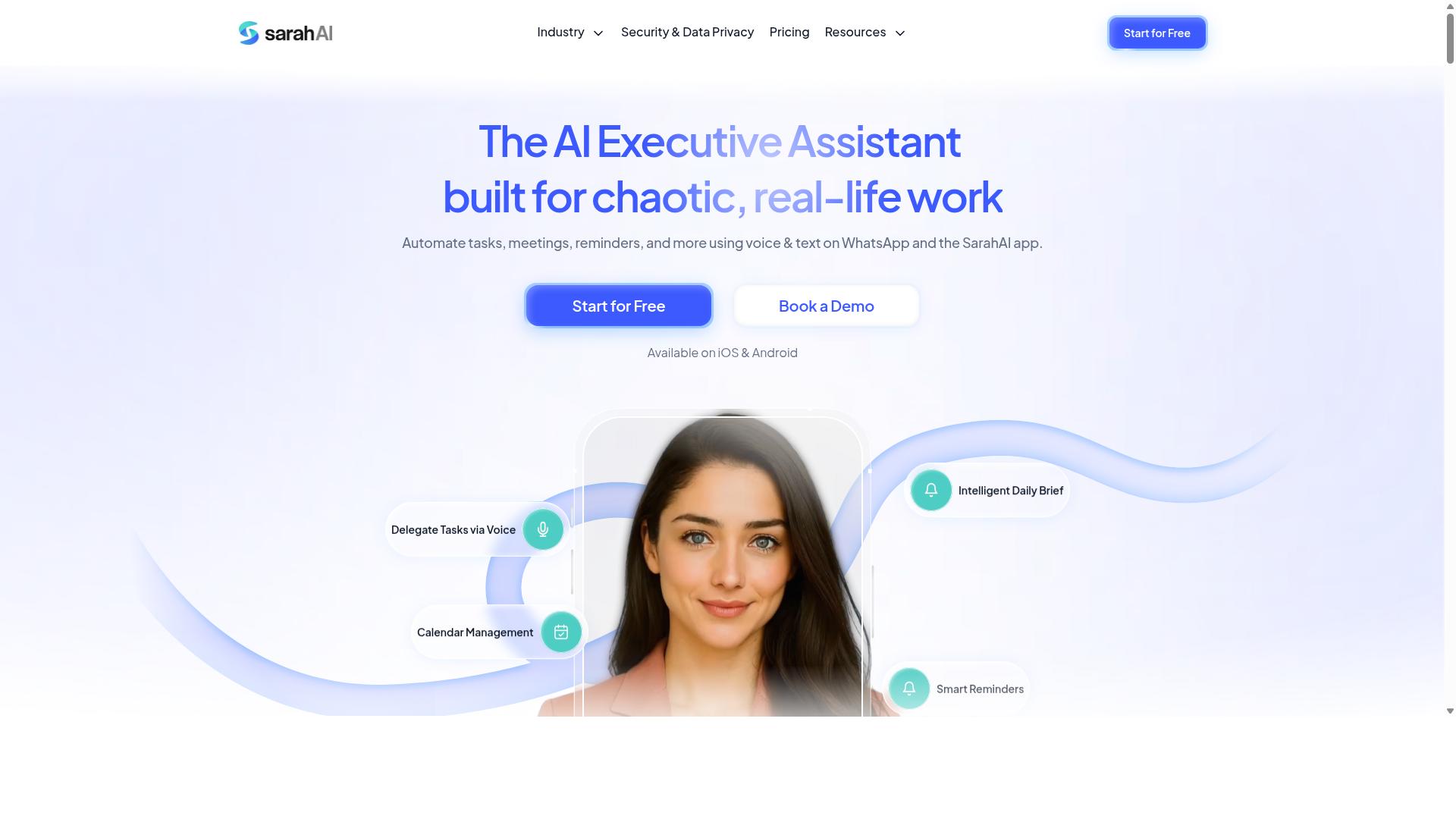
The Sarah AI is an AI-driven digital assistant that helps with scheduling and reminders, but it may not offer the team-centric features like task assignment or attendance tracking. It positions itself as a personal productivity companion rather than a full collaboration platform. For individual users who want a smarter way to manage their day, this approach can feel refreshing and intuitive.
Its core appeal lies in smart reminders and proactive scheduling. The assistant aims to learn from your habits and preferences over time, which can reduce the mental effort of planning. Instead of manually entering every task, you can rely on the system to suggest optimal times and keep your calendar organized.
However, there are clear limitations for group use. Teams that need shared workspaces, delegated responsibilities, or a unified view of progress might find The Sarah AI lacking. It is better suited for personal time management than for coordinating multiple people on a project.
If you are evaluating it as a Reminderly.ai alternative, consider your primary need. For solo users who value automated reminders and calendar integration, this tool may be a good fit. For teams, you will likely need to pair it with separate project management software to cover the gaps in collaboration.
5. Zoye AI
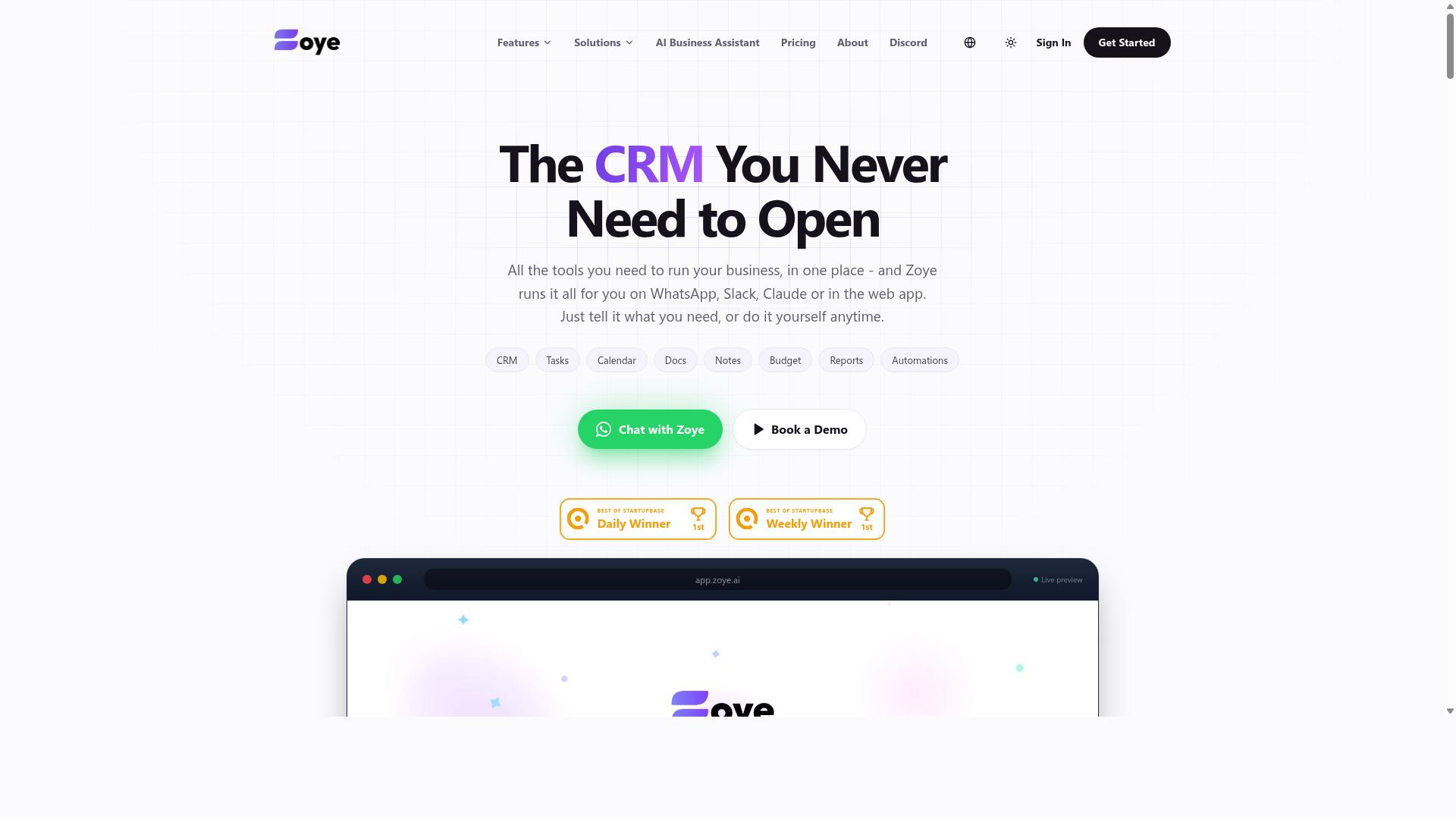
Zoye AI offers AI-powered task automation and reminders, but its focus on individual use may not suit teams needing shared task lists and attendance features. The platform positions itself as a smart digital assistant that learns from your scheduling habits over time. This makes it an interesting option for solo professionals who want a productivity tool that adapts to their workflow.
The user interface is designed to be clean and intuitive. New users can typically set up automated reminders and recurring tasks without a steep learning curve. For personal time management, the notification system can be configured to deliver alerts across multiple channels, which helps with deadline tracking.
Where Zoye AI may fall short is in collaboration and integration. Team-based features appear limited, so project management and shared task lists are not core strengths. Similarly, WhatsApp integration is not a confirmed capability, which could be a drawback if you rely on that channel for daily communication.
For individual users seeking workflow automation, Zoye AI is worth evaluating. It handles the basics of a reminder app well, including push notifications and email reminders. However, if your needs include cross-platform sync for a group or calendar integration across a team, you may need to look elsewhere.
When comparing it to other best reminder apps, Zoye AI sits comfortably in the personal productivity space. It prioritizes simplicity and smart reminders over extensive collaboration features. Review the available pricing plans to see if the free tier covers your core needs or if a premium subscription is necessary for your use case.
How to Choose the Right Option
Choosing the right alternative depends on your team's specific workflow, whether they're field staff needing attendance tracking or remote collaborators requiring seamless integration. The best reminder app for your organization is the one that fits how your people already communicate and operate.
Start by listing your non-negotiable features. A field team might need a mobile app with push notifications and SMS alerts, while a remote group could prioritize calendar integration and cross-platform sync. Match the tool to your daily routines, not the other way around.
Consider the learning curve too. A productivity tool with a steep setup cost will slow adoption, no matter how powerful it is. Look for options that feel familiar to your team from day one.
Finally, review pricing plans honestly. Compare free tiers, premium subscriptions, and whether the cost scales fairly with team size. Budget matters, but the cheapest option is rarely the most productive one.
Assess Your Team's Workflow: Field Staff vs. Remote Collaboration
If your team includes field staff, prioritize tools with attendance tracking and WhatsApp access; for remote collaboration, focus on integrations and reporting features. These two groups need very different things from a scheduling software.
For field teams, run through this checklist:
- Does it support WhatsApp-native task management for quick updates?
- Can it track attendance and produce payroll-ready hours?
- Is the mobile app reliable for on-the-go use?
- Does it handle recurring tasks and deadline tracking without constant manual input?
For remote collaborators, the priorities shift:
- Does it offer solid calendar integration with your existing tools?
- Can multiple people collaborate on shared to-do lists and projects?
- Are the reporting and analytics detailed enough for managers?
- Does it support email reminders and automated reminders across time zones?
Tasks.Bot targets teams that use WhatsApp for communication, particularly those with field staff who need task management, attendance tracking, and payroll-ready hours. The site mentions hundreds of teams already using the service, which points to a proven fit for this exact scenario.
Experts recommend narrowing your list to two or three finalists before testing. Run a pilot with a small group and gather feedback on the user interface and notification system. Real usage reveals gaps that feature lists never show.
Final Verdict
For teams already using WhatsApp, Tasks.Bot is the clear winner due to its native integration, AI capabilities, and transparent pricing, making it the best overall alternative to Reminderly.ai. Unlike other reminder apps that require new downloads or account setups, Tasks.Bot operates entirely within WhatsApp, so team members can start managing tasks immediately.
What sets Tasks.Bot apart is its combination of smart features and practical safeguards. The platform uses AI to understand natural language and voice notes for task creation, which removes the friction of typing out formal commands. It also offers face-verified attendance and live GPS tracking for field staff, making it more than a simple to-do list tool.
Security is another strong point. Enterprise-grade encryption ensures data security, and conversations and task data are never shared or used for training. That level of data privacy is rare among productivity tools and matters for teams handling sensitive client information.
Pricing is straightforward. Tasks.Bot provides a 3-month free trial with no credit card required, which lets you evaluate the platform without commitment. For teams comparing alternatives, that trial period is generous enough to test real workflows, not just demo features.
If you want to explore Tasks.Bot for your team, reach out directly for more details. Contact them by phone or email to discuss your specific scheduling software and task management needs.
Phone: +91 97143 42522
Email: [email protected]
Frequently Asked Questions
Does my team need to install anything to use Tasks.Bot?
No. Tasks.Bot operates entirely within WhatsApp, so your team members don't need to install any new software or create separate accounts to start managing tasks. This makes it a particularly smooth fit for teams that already rely on WhatsApp for daily communication.
How does Tasks.Bot handle task creation differently from other tools?
Tasks.Bot uses AI to understand natural language and voice notes, so you can create tasks simply by speaking or typing a message in WhatsApp. This removes the friction of filling out forms in a separate app, which is a key advantage over traditional task managers that require manual data entry.
Is Tasks.Bot suitable for teams with field staff or remote workers?
Yes, Tasks.Bot is designed for teams with field staff, offering features like tasks on a map, live day tracking, and face-verified attendance. Since it works through WhatsApp and a mobile app, it helps you keep track of progress and attendance without requiring your field team to learn a complex new system.
What kind of reporting and oversight does Tasks.Bot provide?
Tasks.Bot provides instant reports and smart deadline reminders directly within WhatsApp, giving managers a real-time view of task progress. It also includes approvals and automations, which helps streamline workflows and reduce the back-and-forth typically needed to confirm completed work.
How is Tasks.Bot priced compared to other alternatives?
Tasks.Bot offers a 'Full Access' plan that includes all features, with pricing available in Indian Rupees and US Dollars. The monthly plan is 200 per member, while the annual plan is 1,200 per member per year, which saves you 50% compared to monthly billing. For specific competitor pricing, we recommend checking their websites directly, as costs vary widely.
Is Tasks.Bot available for teams outside India?
Yes, Tasks.Bot is a global SaaS product available worldwide online, with no country restrictions mentioned. Because it is accessible via WhatsApp and mobile apps, teams from any region can use it, and the pricing in USD makes it easy for international teams to evaluate.
Recommended Resources: