How to Choose Human in the Loop Approval Software: A Buyer's Guide
Your team approves purchase orders over WhatsApp, then loses the thread by Friday. Some tools bury sign-off in a dashboard nobody opens, so requests sit for days while work stalls. Picking the wrong approval software makes that gap permanent.
This guide walks through what human-in-the-loop approvals actually require, from audit trails to automation that keeps a person in control. You will see how Tasks.Bot handles approvals inside WhatsApp and finish with clear criteria for deciding whether it fits your team.
What Is Tasks.Bot? The WhatsApp-Native Approval Platform
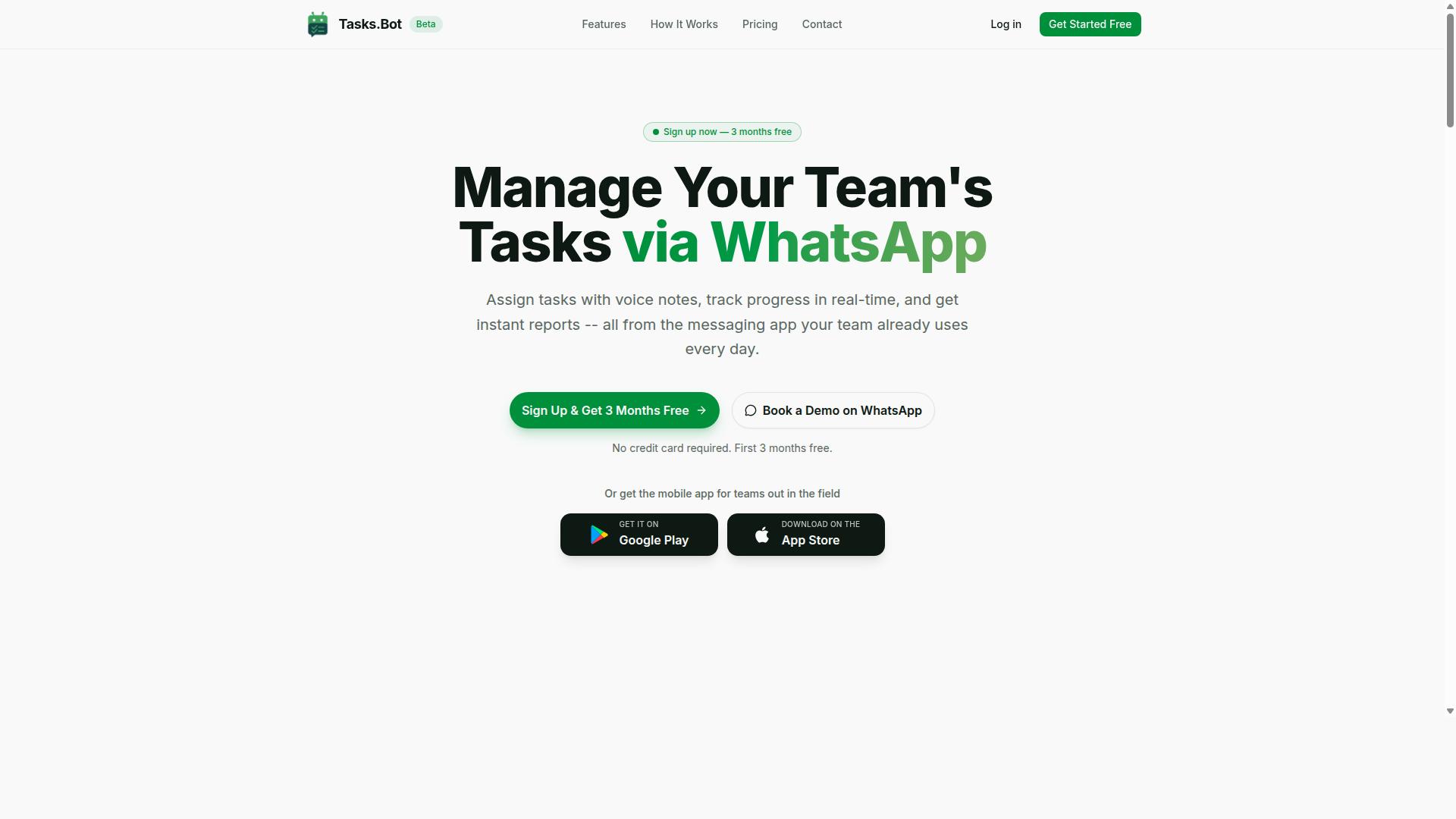
Tasks.Bot is a task management and approval platform that operates entirely within WhatsApp, eliminating the need for teams to install separate software or create new accounts.
For buyers evaluating human in the loop approval software, that distinction matters more than it first appears. Most approval platforms ask a reviewer to log into a dashboard, learn a new interface, and remember to check a queue. Tasks.Bot instead meets people where they already are, inside the messaging app most teams open dozens of times a day.
That single design choice shapes how approvals actually get done.
The platform lets teams assign tasks, track progress, and receive reports directly inside WhatsApp. A manager can hand off an item, see where it stands, and get a summary without switching tools or chasing updates across email threads.
Tasks.Bot also offers a mobile app for field teams, which matters for human oversight in settings where staff are not sitting at a desk. Field workers, site crews, and remote reviewers can stay inside the approval loop even when a laptop is not part of the job.
The service is currently in beta and offers a free trial period, so teams can evaluate fit before committing.
Tasks.Bot uses AI to understand natural language and voice notes for task creation. Instead of filling out a rigid form, a user can describe what needs to happen and let the system capture it. Voice notes are particularly useful for field teams who need to log a request hands-free.
This approach fits the core promise of human in the loop approval software. The AI handles capture and routing, while a person still makes the call. That separation supports accountability and keeps a human decision at the center of the workflow.
For buyers, the practical takeaway is straightforward. Tasks.Bot is a WhatsApp-native way to run task assignment, progress tracking, and reporting without forcing adoption of another standalone system. It is in beta with a free trial, which gives evaluation teams a low-risk path to test whether a messaging-first approval workflow fits how their people already work.
Why Human-in-the-Loop Approvals Matter for Your Team
Human-in-the-loop (HITL) approvals ensure that critical decisions are reviewed by a person before they are finalized, reducing the risk of costly errors and compliance breaches. The model is simple: automation handles the volume, and people handle the judgment calls that carry real consequences.
This matters more than ever because AI now touches everyday business processes. A system can draft a contract, flag an expense, or score a loan application in seconds. But speed without oversight creates exposure, especially when a wrong decision affects money, people, or legal standing.
HITL is not a rejection of automation. It is a deliberate checkpoint that pairs machine efficiency with human accountability. The software supports the reviewer, and the reviewer owns the outcome.
Human Oversight in AI-Driven Processes
AI models make mistakes in predictable ways. They misread context, inherit bias from training data, and struggle with situations that fall outside historical patterns. A confidence score tells you how sure the model is, but not whether it is right.
That gap is where human oversight earns its place. Reviewers catch false positives that would frustrate customers and false negatives that would let real problems slip through. Neither precision nor recall is perfect, so a person remains the final filter.
Good HITL design routes work intelligently rather than reviewing everything. Common patterns include:
- Exception handling: only flagged or low-confidence items reach a person
- Threshold configuration: amounts, scores, or risk levels trigger review
- Escalation paths: unresolved cases move up the chain automatically
- Review queues: items are sorted by urgency, value, or age
- Task routing: the right specialist sees the right item
This is decision support in practice. The machine narrows the field, and the human decides. Teams move faster without surrendering control of outcomes that matter.
Compliance, Risk Management, and Accountability
Regulators increasingly expect demonstrable human oversight of automated decisions. Financial services, healthcare, and HR all operate under rules that require a person to be accountable for outcomes, not just a system.
An effective approval workflow produces an audit trail as a byproduct of normal work. Who reviewed the item, when, what they saw, and what they decided. That record answers regulator questions and internal audit requests without a scramble.
Accountability also depends on structure. Role-based access control (RBAC) and clear user permissions ensure only authorized people approve certain actions. Segregation of duties prevents one person from initiating and approving the same transaction.
Multi-level approval and approval hierarchies add further protection for high-stakes decisions. A payment above a set amount might need two signatures. A termination or a large vendor contract might need three. Conditional logic and rule engines enforce these paths consistently, so nothing depends on memory or goodwill.
Where HITL Approvals Pay Off
Consider financial approvals. An AI system flags an invoice that looks unusual. A reviewer checks the vendor, the amount, and the purchase history, then approves or rejects. The decision takes seconds, but a person owns it.
In HR, a model might screen candidates or recommend a promotion. Human review protects against bias and keeps decisions defensible. In operations, a sign-off on a shipment release or a safety check keeps a person in the loop when the stakes are physical.
The common thread is transparency and explainability. Reviewers need to see why the system flagged something, not just that it did. When the reasoning is visible, decisions improve and disputes shrink.
Model review adds another layer. Teams periodically examine whether automated flags are still accurate, whether thresholds need adjustment, and whether new patterns have emerged. This keeps the system honest over time.
For any team weighing human in the loop approval software, the principle is the same. Automation should accelerate the routine, and people should own the consequential. A buyer's guide exists because getting that balance right takes deliberate design, not default settings.
Evaluation Criteria: What to Look For in Approval Software
When evaluating approval software, teams should prioritize criteria that balance efficiency, control, and compliance. Too many buyers focus only on features and overlook how a tool will actually behave once real decisions start flowing through it.
Three criteria matter most: speed and ease of adoption, audit trails and accountability, and automation that keeps humans in control. Together these determine whether a system genuinely streamlines operations or simply adds another layer of friction.
Speed and ease of adoption decide whether your team actually uses the tool. Audit trails and accountability decide whether you can prove what happened and who approved it. Automation with human control decides whether the system scales judgment without abandoning oversight.
None of these criteria can be judged from a feature list alone. A short trial, a few realistic test scenarios, and a close look at documentation will reveal far more than a sales demo. The subsections below break down what to examine in each area.
Speed and Ease of Adoption
The best approval software minimizes onboarding friction, allowing teams to start using it within minutes rather than weeks. Adoption speed depends on three things: how well the tool integrates with systems people already use, how simple the interface is, and how much training is required before anyone can approve a request.
Integration matters most. Software that works inside familiar apps, such as messaging platforms or existing business tools, removes the need for new logins and separate dashboards. When approvals arrive where people already work, compliance rises because the path of least resistance is also the correct one.
Interface simplicity follows closely. A clean review queue, clear approve and reject actions, and visible context for each request reduce hesitation. If a reviewer has to hunt for the relevant document or guess what a button does, adoption stalls.
To assess adoption speed during a trial, watch for these signals:
- How long it takes a new user to complete a first approval without help
- Whether setup requires engineering time or can be handled by an admin
- Whether notifications reach reviewers in tools they already have open
- How much documentation or training is needed for basic tasks
Faster adoption also tends to shorten time to value. When teams embrace the tool quickly, they spend less time managing the rollout and more time benefiting from consistent, traceable decisions.
Audit Trails and Accountability
A robust audit trail records every action, approval, and rejection, providing a transparent history for compliance and internal reviews. Without it, even a well-designed approval workflow becomes difficult to defend when questions arise months later.
A complete audit trail should capture several elements:
- Timestamps showing when each action occurred
- User identities for everyone who touched the request
- Decision rationale explaining why an approval or rejection happened
- Version history tracking changes to the underlying request or documents
These records support accountability in regulated industries, where examiners and auditors expect a clear chain of custody. They also help during internal investigations, letting teams reconstruct what happened without relying on memory or scattered emails.
Role-based access control (RBAC) and segregation of duties reinforce that accountability. RBAC ensures users only see and act on requests relevant to their role, while segregation of duties prevents the same person from requesting and approving the same item. Both reduce conflicts of interest and strengthen human oversight across the process.
During evaluation, ask how easily audit records can be exported, filtered, and searched. A trail that exists but cannot be queried quickly offers little practical value when a regulator or reviewer requests evidence.
Automation Without Losing Human Control
Effective approval software automates routine decisions while ensuring humans review exceptions, high-risk items, or low-confidence AI outputs. The goal is not to remove people from the process but to focus their attention where judgment actually adds value.
Several mechanisms make this balance possible. Confidence scores let the system flag outputs where the model is uncertain. Threshold configuration sets limits, so small, low-risk items clear automatically while larger ones route to a person. Conditional logic and rule engines handle branching scenarios, such as requiring a second approver when an amount exceeds a set level.
Exception handling and escalation paths matter just as much. When an anomaly appears, or when a request falls outside defined rules, the system should route it to the right reviewer rather than stalling. Clear escalation paths prevent bottlenecks and keep decisions moving.
A practical example: auto-approving low-value expenses under a set limit, while requiring human sign-off for large purchases or unusual vendors. This keeps routine work fast without exposing the organization to unnecessary risk.
Buyers should also ask how false positives and false negatives are handled, since both affect trust in the system. Automation should enhance human judgment, not replace it, and the software should make it easy to adjust rules as conditions change. Used well, human in the loop approval software pairs efficiency with the oversight that governance and risk management demand.
How Tasks.Bot Delivers Human-in-the-Loop Approvals
Tasks.Bot implements human-in-the-loop approvals by embedding them directly into WhatsApp, where teams already communicate. Instead of asking people to learn a separate dashboard or install another app, the platform turns everyday chat into a working approval surface.
That design choice matters for HITL buyers. Approval software only delivers value when people actually use it, and adoption tends to collapse when reviewers must log into a system they rarely open. Tasks.Bot removes that friction by keeping human oversight inside a tool staff check dozens of times a day.
The platform also uses AI to understand natural language and voice notes, so creating a task or responding to one feels like sending a message. Enterprise-grade encryption protects conversations and task data, which are never shared or used for training.
For teams evaluating human in the loop approval software, this WhatsApp-native approach is worth weighing against traditional portals. The sections below break down how approvals, automations, voice input, reminders, and face-verified attendance work together to keep a human firmly in control of every decision.
Approvals and Automations Inside WhatsApp
Tasks.Bot enables teams to create, assign, and approve tasks without leaving WhatsApp, streamlining workflows and reducing response times. A manager can set up an approval workflow, and the platform handles the routing and follow-up automatically.
Key capabilities include:
- Automatic task assignment, so work reaches the right person without manual dispatch
- Smart deadline reminders that prompt reviewers before a task goes overdue
- Approvals and automations that move a request forward once a decision is made
- Instant reports that show what has been approved, pending, or delayed
Multi-level approval and conditional logic can be configured so that larger requests require more sign-off than routine ones. This supports approval hierarchy and segregation of duties without adding administrative overhead.
Approvers respond with a simple message rather than navigating a portal. That simplicity matters for field staff and frontline workers who may not have a laptop handy, and it directly reduces app fatigue. Higher adoption means fewer approvals stall in a queue, which strengthens accountability across the workflow.
Voice Notes, Smart Reminders, and Face-Verified Attendance
Tasks.Bot leverages AI to understand natural language and voice notes, allowing users to create tasks and approvals hands-free. For field teams working on site, in a vehicle, or with gloved hands, speaking a request is far faster than typing one out.
Smart deadline reminders keep tasks on track by nudging the responsible person as a due date approaches. Combined with automatic assignment, this reduces the manual chasing that often causes approvals to slip.
The platform also offers face-verified attendance and live GPS tracking for field staff, along with shifts, leave, and hours management. Face verification gives payroll and time records a reliable basis, which supports compliance and reduces manual entry errors.
Together these features reinforce human oversight rather than replacing it. Reviewers get accurate data about who was present and what was completed, and they still make the final call on each approval. Tasks.Bot also provides Android and iOS apps with push notifications, voice capture, and a home screen widget, plus a 3-month free trial with no credit card required.
Pricing and Plans: Simple, Transparent, No Credit Card Required
Tasks.Bot offers a straightforward pricing model with a single 'Full Access' plan that includes all features. There are no tiers to compare, no feature gates to decode, and no upsell ladder to climb. For buyers evaluating human in the loop approval software, that simplicity matters more than it first appears.
Most software purchases in this category force a trade-off. You pick a tier, then discover that audit trails, role-based access control, or multi-level approval sit one level higher. Tasks.Bot removes that guesswork by putting every feature in one plan.
Pricing is published openly and can be viewed in two currencies. A Select currency option on the site lets buyers choose between Indian Rupee and US Dollar, so teams can budget in the denomination that fits their accounting. Verify the currency at checkout before you commit.
| Plan | Price | Billing |
|---|---|---|
| Full Access (Monthly) | ₹200 per member per month | Billed monthly |
| Full Access (Annual) | ₹1,200 per year per member | Billed annually, save 50% |
The annual option is where the math gets interesting. At ₹1,200 per year per member, a team saves ₹1,200 per member annually compared with paying monthly, a 50% reduction. For a ten-person review team, that difference compounds quickly.
Per-member pricing also scales in a way that suits approval workflows. Human oversight tends to involve a defined set of reviewers, approvers, and escalation contacts rather than an entire company. You pay for the seats that actually touch the review queue.
Getting started carries no financial risk. New users receive 3 months free, no credit card is required, and the plan can be cancelled at any time. That structure lets a team run a real approval workflow, with genuine exceptions and escalation paths, before spending anything.
Transparency in pricing is not a minor detail in this category. Approval software sits close to compliance, audit trails, and regulatory requirements, so buyers need vendors whose commercial terms are as clear as their product claims. A published price with a stated refund policy supports that expectation.
For a buyer working through this guide, the practical takeaway is simple. Confirm the currency, estimate your reviewer headcount, and compare the monthly and annual figures against your expected usage. Tasks.Bot keeps that comparison short because there is only one plan to evaluate.
Who Should Choose Tasks.Bot
Tasks.Bot is designed for teams that rely on WhatsApp for communication, especially those with field staff who need task management, attendance tracking, and payroll-ready hours. If your daily coordination already happens in chat threads, this platform meets your team where it already works.
Instead of forcing staff onto a new app they may resist or struggle to learn, Tasks.Bot turns the messaging tool they already use into a lightweight human in the loop approval software layer. That keeps human oversight in place while cutting the friction that usually kills adoption.
Several groups tend to get the most value from this approach:
- WhatsApp-first teams whose supervisors and staff coordinate through chat rather than email or a desktop dashboard.
- Field operations where workers are mobile, remote from head office, and need to log tasks or hours on the go.
- Small to medium businesses that want structured approvals without buying and rolling out heavy enterprise software.
- Teams that need quick adoption and cannot afford a long training or migration cycle.
Remote and distributed teams also fit well here. When managers cannot walk over to a desk to confirm a task is done, an approval workflow that runs inside a familiar chat thread keeps decisions moving and preserves a record of who approved what.
Field operations benefit in a similar way. Attendance tracking and payroll-ready hours captured through the same channel reduce the back-and-forth of chasing paper timesheets or reconciling messy spreadsheets later.
Tasks.Bot is available worldwide and is used by hundreds of teams already, which matters if you want a tool with a proven track record rather than an untested experiment. That global reach also suits businesses operating across multiple locations or time zones.
Perhaps the strongest fit is for organizations that want to avoid installing and managing new software. Every additional system adds setup time, training, and another login for staff to forget. A chat-based approach sidesteps much of that overhead.
If your team lives in WhatsApp, has people working away from a desk, and values fast rollout over an elaborate platform, Tasks.Bot is a strong match. It brings task management, attendance tracking, and payroll-ready hours into one familiar place, with human review built into the flow.
For buyers weighing human in the loop approval software, that combination of reach, simplicity, and an existing user base makes Tasks.Bot a clear choice for chat-driven and field-heavy operations.
Final Verdict: Is Tasks.Bot the Right Approval Software for You?
Tasks.Bot stands out as a practical, WhatsApp-native solution for teams seeking human-in-the-loop approvals without the complexity of traditional software. Rather than asking reviewers to log into yet another dashboard, it brings the approval workflow to the messaging app most teams already use daily. That single design decision reshapes how human oversight fits into everyday operations.
The core strengths of Tasks.Bot map directly onto what buyers should prioritize in a buyer's guide for human in the loop approval software:
- WhatsApp integration: approvals and notifications happen inside a familiar channel, which lowers adoption friction for reviewers who are not desk-bound.
- HITL approvals: a human makes the final call, keeping human oversight and accountability intact rather than letting automation decide alone.
- Voice notes: reviewers can respond or add context by voice, useful for field teams and anyone who finds typing slow or impractical.
- Face-verified attendance: a verification layer that supports accountability for teams tracking who is present and when.
- Transparent pricing: costs are stated openly, so buyers can assess fit without a drawn-out sales cycle.
Together, these features address the practical side of workflow automation: routing decisions to a person, capturing their response, and keeping a record. For organizations weighing compliance, audit trail, and regulatory requirements, a WhatsApp-native approach can make human review easier to enforce simply because it is easier to use.
No tool is a universal fit, and honesty matters in any evaluation. Tasks.Bot is currently in beta. That means teams should expect an evolving product and should confirm that their specific needs are covered before committing. Organizations with highly specialized approval hierarchy rules, deep RBAC requirements, or complex multi-level approval chains may want to verify those details directly.
So who should choose Tasks.Bot? It suits teams that value speed and simplicity, rely on WhatsApp for coordination, and want HITL approvals without heavy setup. It fits operations, field, and small-to-mid-sized teams where reviewers are mobile and adoption speed matters. It is a strong match when the priority is getting human decisions captured reliably, not building an elaborate rule engine.
If your team needs a lightweight, transparently priced way to keep a person in the loop, Tasks.Bot is a confident yes. If you require extensive threshold configuration or deep enterprise customization, confirm those specifics first. Either way, the next step is simple: reach out and see how it fits your workflow.
Contact Tasks.Bot by phone at +91 97143 42522 or email [email protected]. You can also book a demo on WhatsApp to see the approval flow in action before you decide.
Frequently Asked Questions
What exactly is "human in the loop" approval software, and why does my team need it?
Human in the loop approval software keeps a person in charge of sign-offs while automating the surrounding workflow - so tasks, requests, and reports don't stall in chat threads or get approved by accident. It matters most for teams handling field work, expenses, attendance, or any process where an automatic "yes" could be costly. Tasks.Bot handles approvals and automations directly inside WhatsApp, so approvers can act without switching tools.
Do my team members need to install new software or create accounts to use Tasks.Bot?
No. Tasks.Bot operates entirely within WhatsApp, so team members don't need to install anything or create new accounts - they simply work in the app they already use every day. For field teams, Tasks.Bot also offers a mobile app for tasks on a map, live day tracking, and face-verified attendance. This keeps adoption friction low, which is often the biggest hurdle when rolling out approval software.
How does Tasks.Bot handle task creation and approvals in practice?
Tasks.Bot uses AI to understand natural language and voice notes, so you can create and assign tasks just by speaking or typing a message. It then supports smart deadline reminders, approvals and automations, and instant reports, all within WhatsApp. That means the approval step lives right next to the conversation where the work was requested.
What should I look for in pricing when comparing approval software options?
Look for transparent per-member pricing, whether all features are included or gated behind tiers, and whether annual billing offers real savings. Tasks.Bot offers a single 'Full Access' plan with all features included: ₹200 per member per month, or ₹1,200 per year per member (a 50% saving), with pricing available in Indian Rupees and US Dollars. A refund policy is also mentioned in the site footer, so it's worth reviewing before you commit.
Is Tasks.Bot suitable for teams with field staff, and is it available in my country?
Tasks.Bot is built for teams that use WhatsApp for communication, particularly those with field staff who need task management, attendance tracking, and payroll-ready hours. It's a SaaS product accessible via WhatsApp and mobile apps, available worldwide with no country restrictions mentioned. Hundreds of teams are already using the service, though it's currently in beta.
How do I see Tasks.Bot in action before deciding?
The simplest route is to book a demo on WhatsApp directly from the Tasks.Bot website. You can also reach the team at [email protected] or +91 97143 42522 with questions about your specific approval workflow. Given the service is in beta, a quick demo is a good way to confirm it fits your team's process before rolling it out.
Recommended Resources: